ITMS · ENDPOINT MANAGEMENT

PC Manager

See every company PC at a glance.
Manage them all in one place.

From IT assets to security policies, workforce operations and remote support, connect everything through one cloud service without a separate management server.

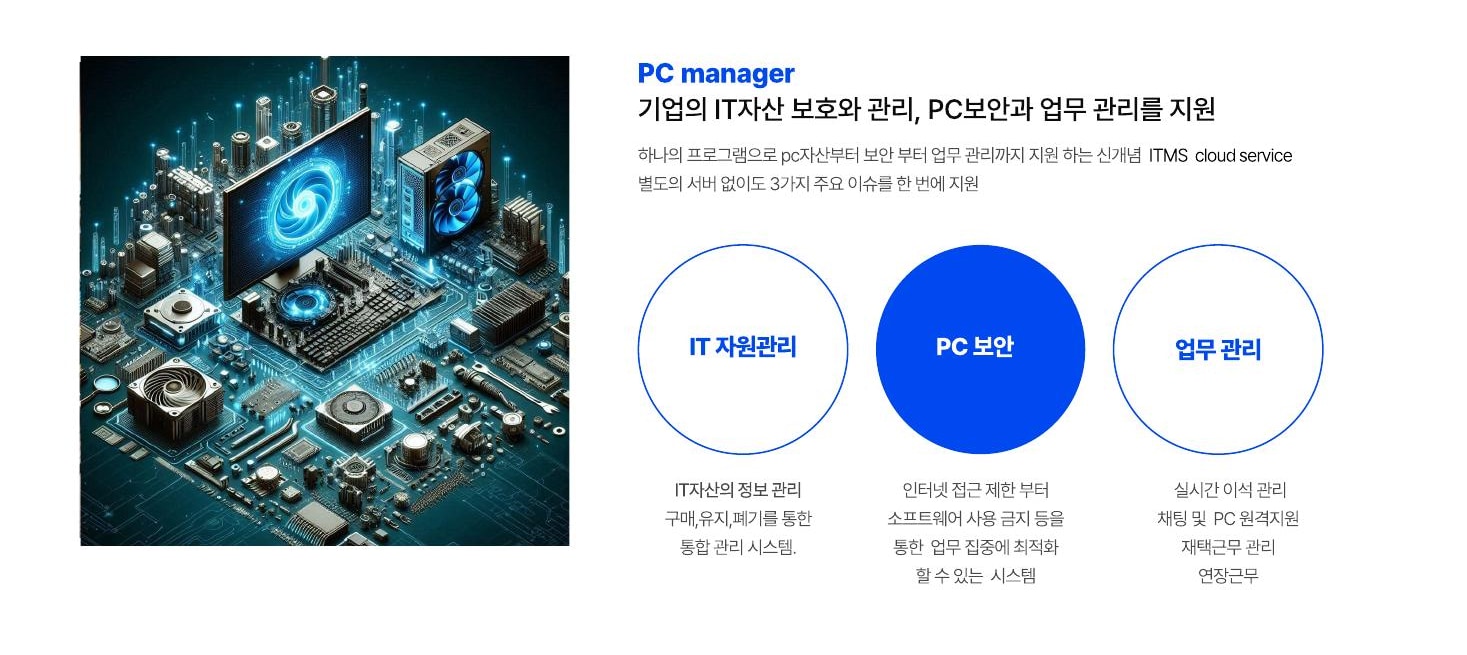
Digital illustration of the main components that make up PC hardware
ONE PLATFORMAsset · Security
Work · Support

Eliminate management blind spots with one screen.

Unify scattered tasks, from PC purchase, use, change and disposal histories to software and font licenses, user status and remote response.

  • IT asset management
  • PC security
  • Workforce operations
  • Remote support
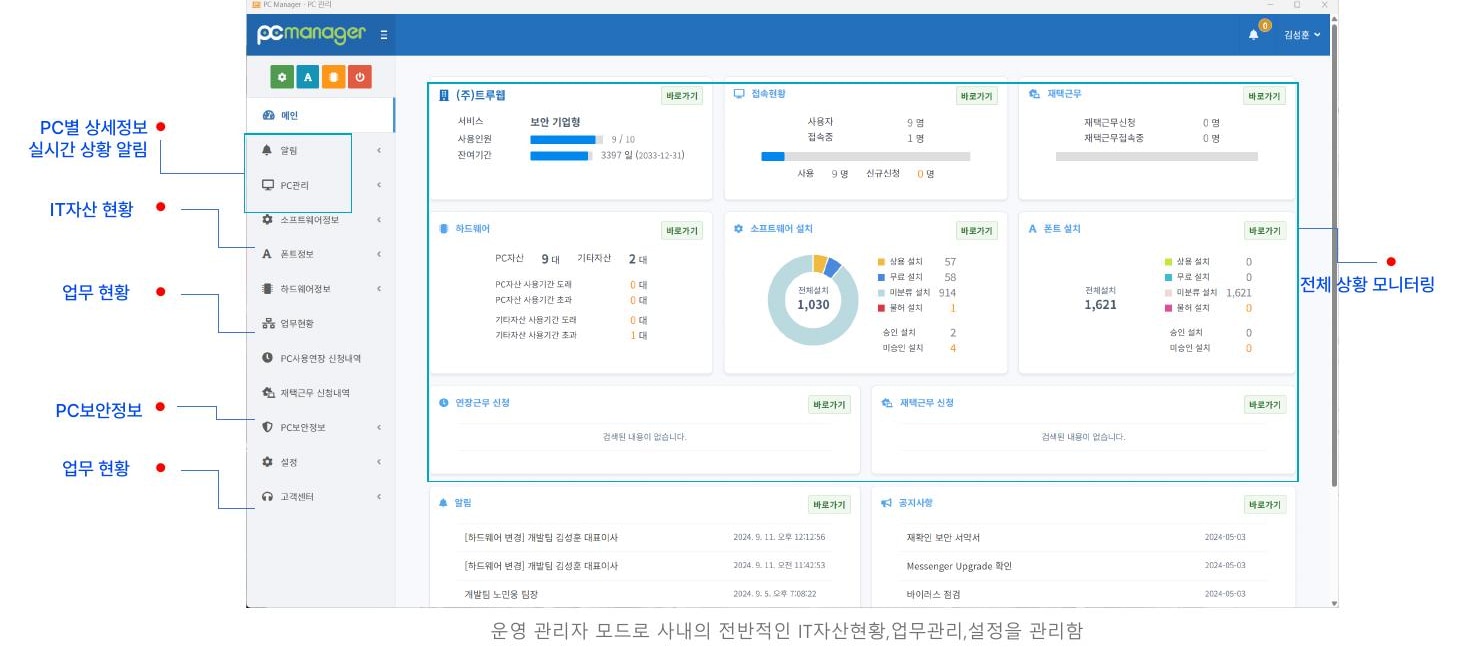
PC Manager administrator dashboard showing assets, connections and work-from-home status
ADMIN CONSOLEAsset, work and security status—
view it on a real-time dashboard.

Manage connection status, hardware, software, fonts and work requests in one place.

From an asset's beginning through changes and disposal.

Record not only current PC and license status but also installation, replacement and usage periods to establish a basis for asset operations.

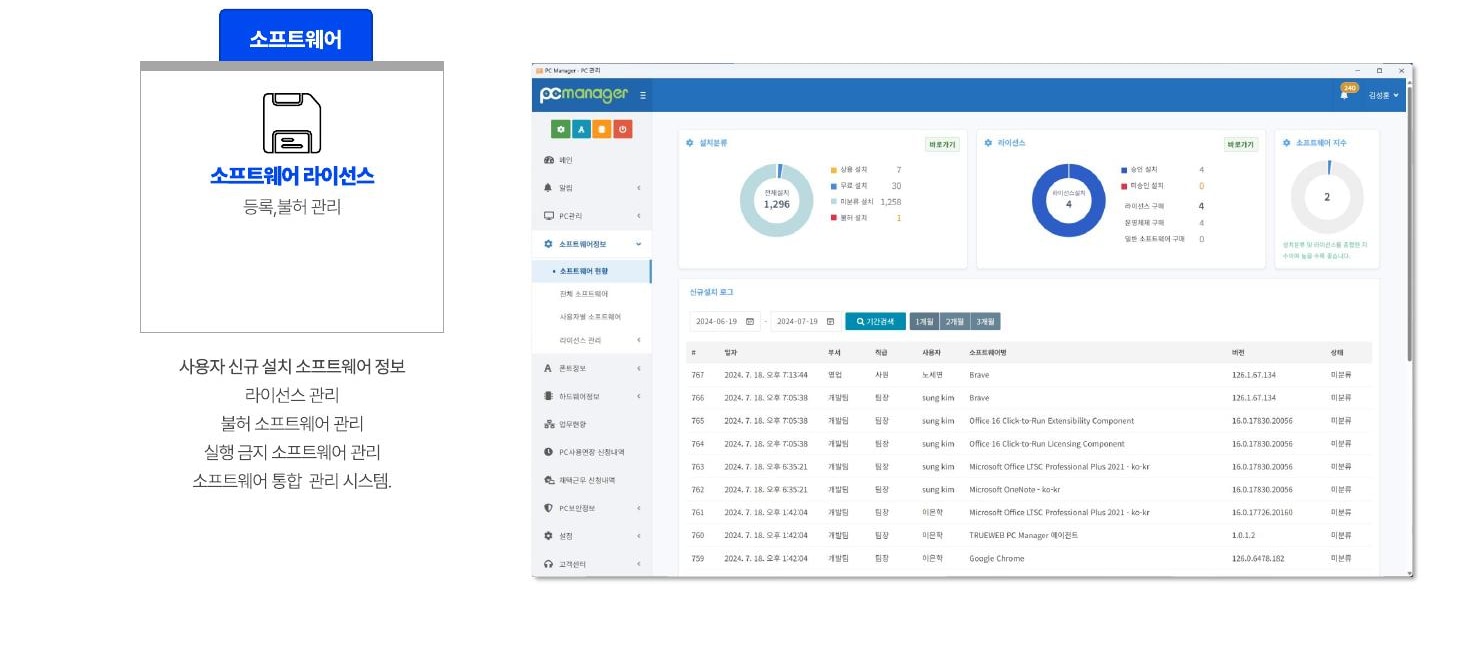
PC Manager screen managing software installations and licenses
ASSET 01

Software and fonts

Check installed software and new installations, and manage license registration, prohibition and execution-blocking policies.

  • Software and font license status
  • Automatically detect new installations
  • Restrict execution of prohibited programs
  • Automatically delete prohibited fonts
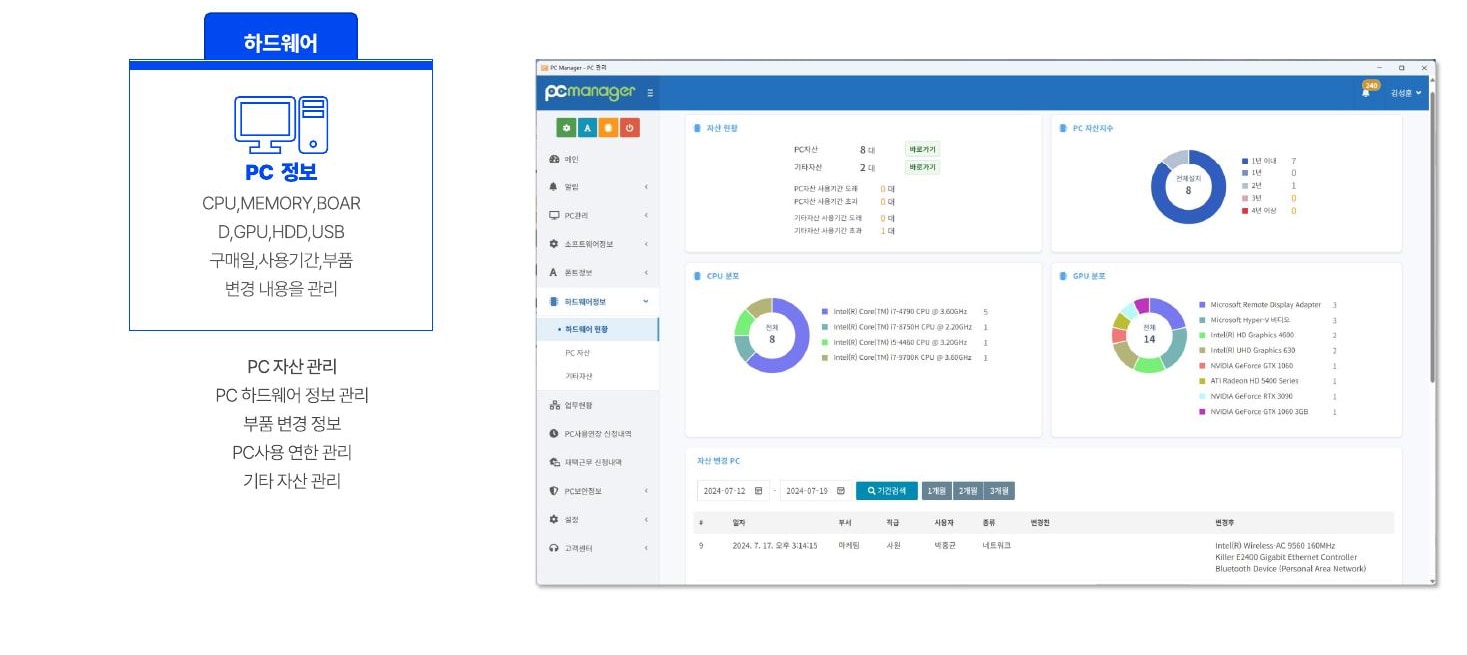
Management screen showing PC hardware assets and component status
ASSET 02

PC hardware

Collect CPU, memory, motherboard, GPU, storage and USB information, and track purchase dates, service life and component changes.

  • Automatically collect PC specifications
  • Component change history
  • Service-life management
  • Register other assets

Flexible work,
clear operational records.

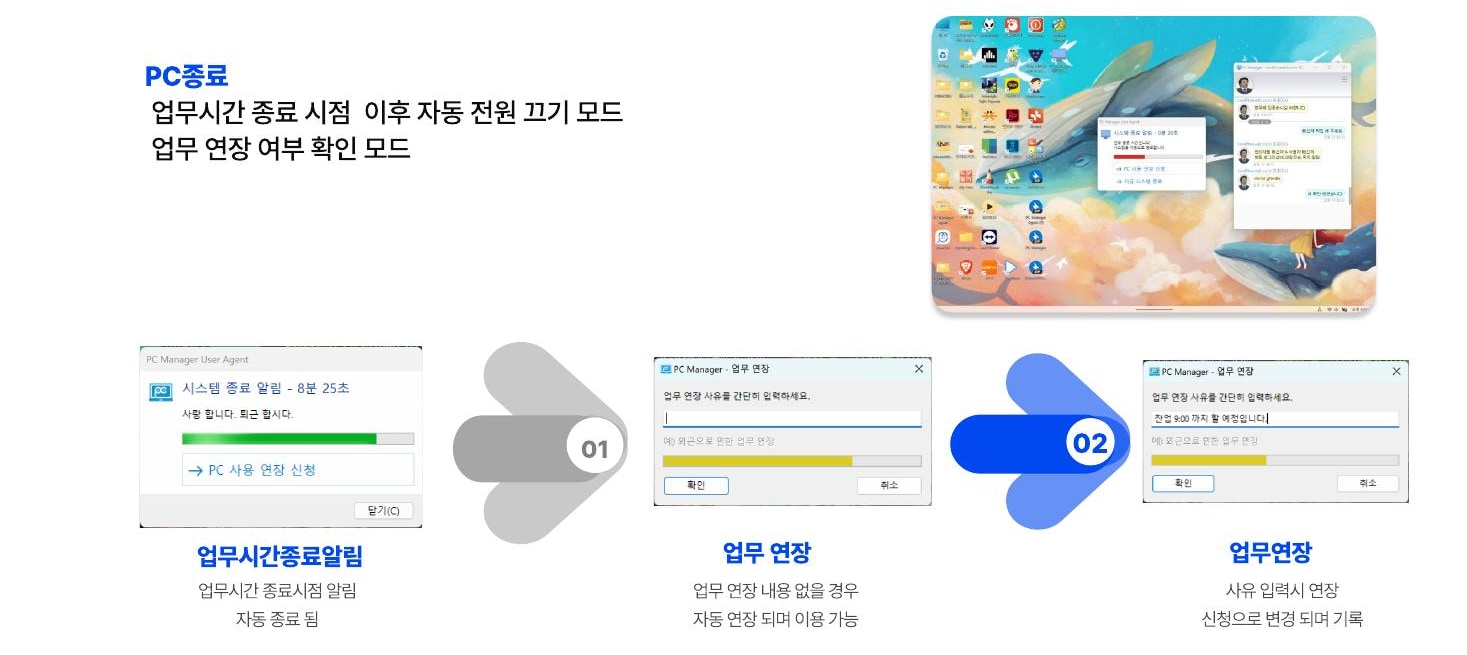
Apply operating policies to overtime and work-from-home requests, PC inactivity detection and power management at the end of the workday.

End-of-work notification and extension-reason entry process
01

Working hours and power management

Notify users of automatic shutdown at the end of the workday; if an extension is needed, enter and record the reason.

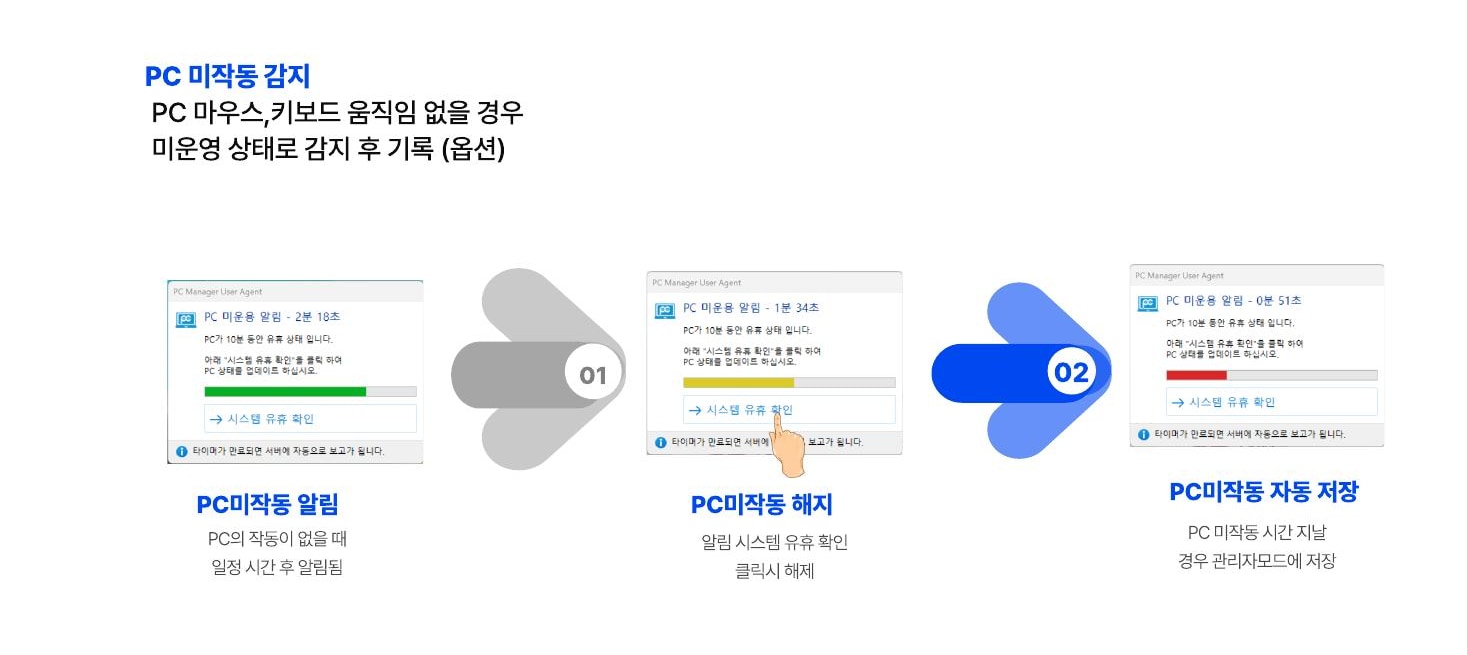
PC inactivity detection, notification and recording process
02

PC inactivity detection

Detect periods without keyboard or mouse activity, notify the user and save the record in the administrator screen.

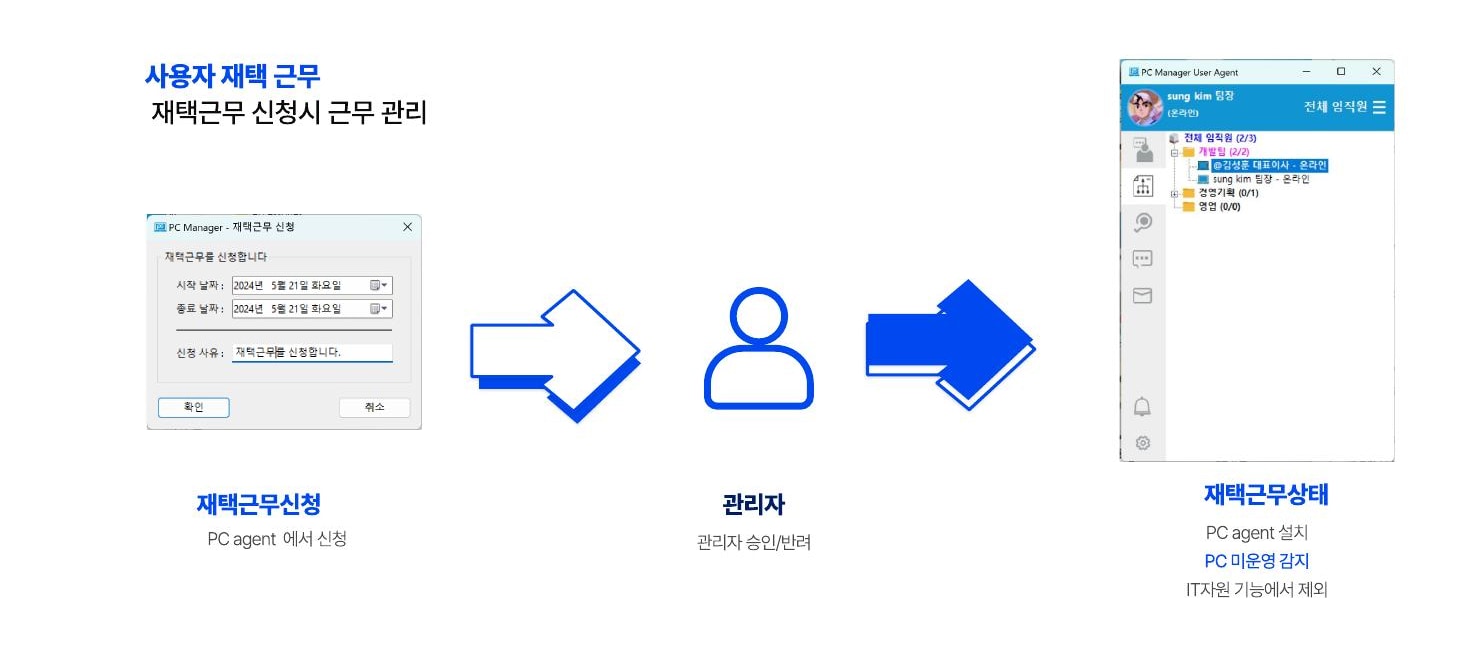
Work-from-home request and administrator approval process
03

Work-from-home management

Request work from home through the Agent; administrators approve or reject requests and check connection and idle status.

Requests, communication and remote support,
within users' reach.

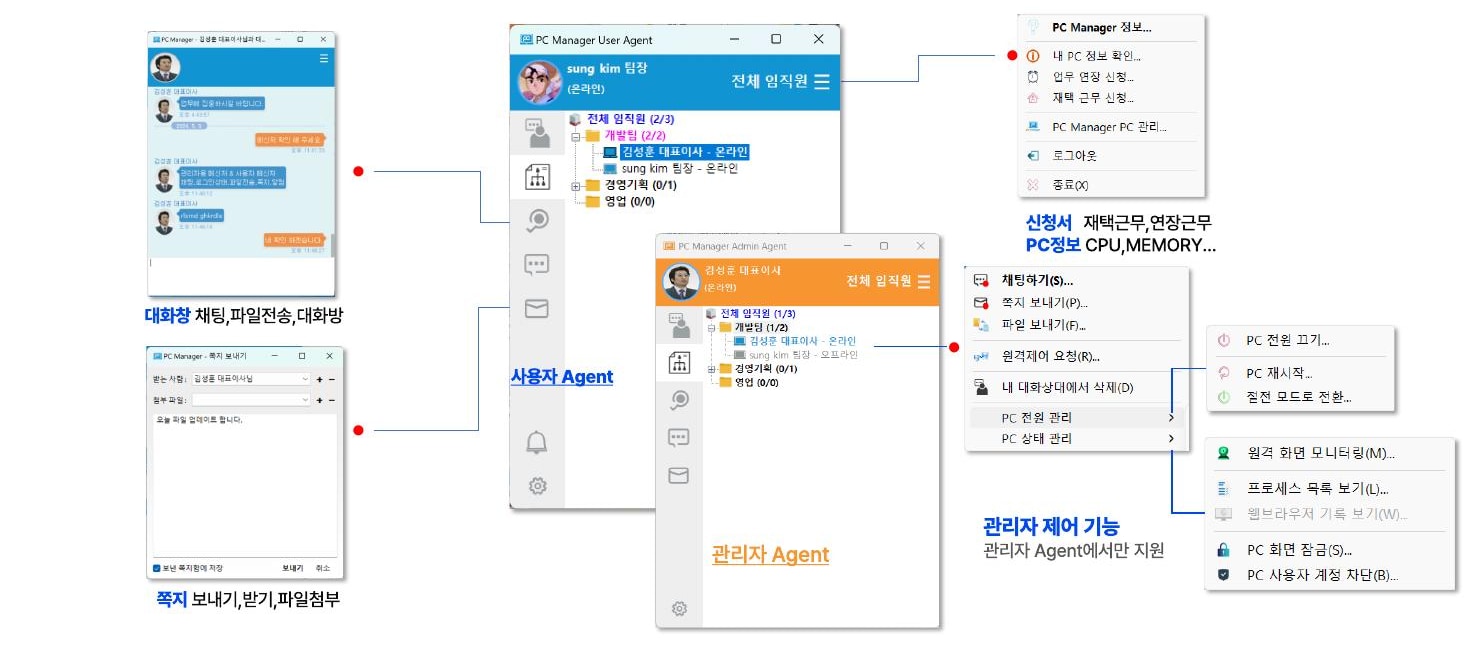
Connect user and administrator Agents to provide work-from-home and overtime requests, PC information, chat, file transfers, messages and administrator controls.

Application formPC informationChat and filesMessagesAdministrator control
PC Manager user Agent and administrator Agent conversation and control screen

Work-disrupting behavior
is blocked in advance by policy.

Administrators select restrictions according to organizational policy. These can be applied subject to internal standards, including user notice and consent.

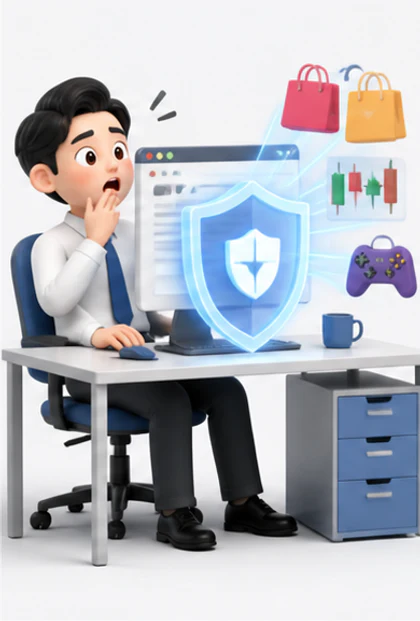
01An employee whose access to shopping and gaming sites is blocked by security policyURL

Restrict web access by categories such as shopping, stocks and games

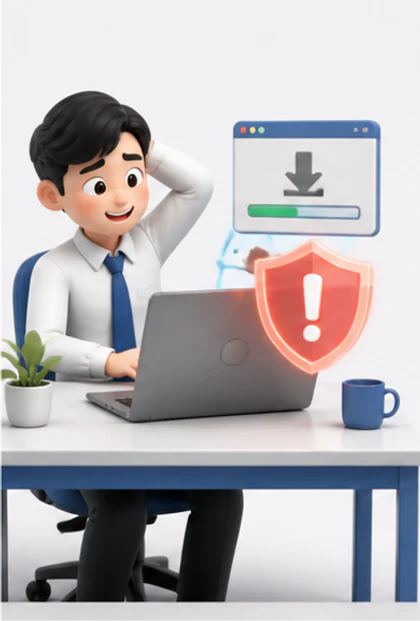
02An employee whose unauthorized software installation is blocked with a warningAPP

Restrict installation and execution of unauthorized or illegal software

03An employee attempting to connect an unapproved USB device is blocked by a security lockUSB

Restrict access to unapproved removable storage devices

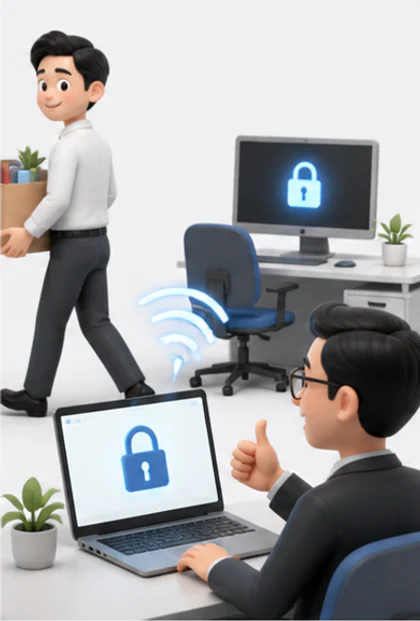
04An administrator remotely locking a PC previously used by a former employeePC

Lock access and remotely block former employees' or unused PCs

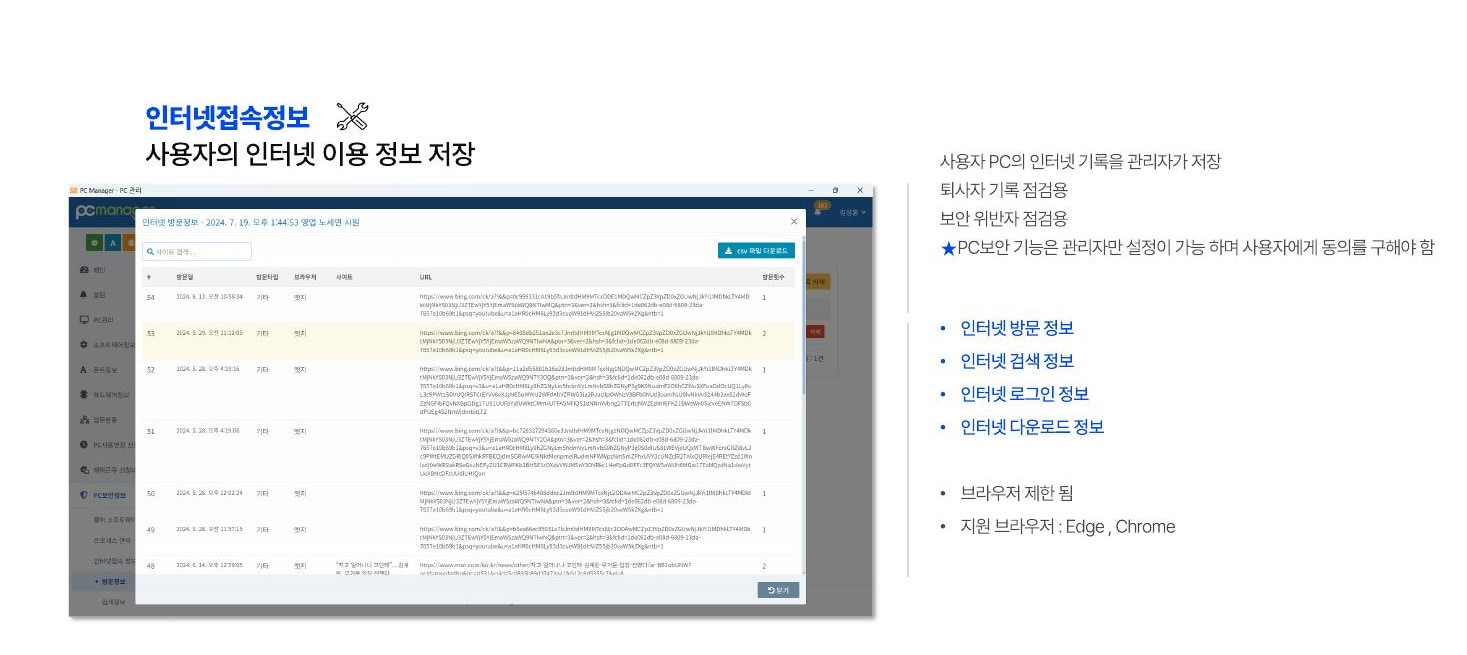
PC Manager screen displaying user internet usage information

Turn the records you need
into auditable information.

Administrators save records to review former employees' records and identify security violators. Only administrators can configure PC security features, which operate with user consent.

  • Visit and search information
  • Login and download information
  • Edge and Chrome support

Even a distant PC—
check and respond immediately.

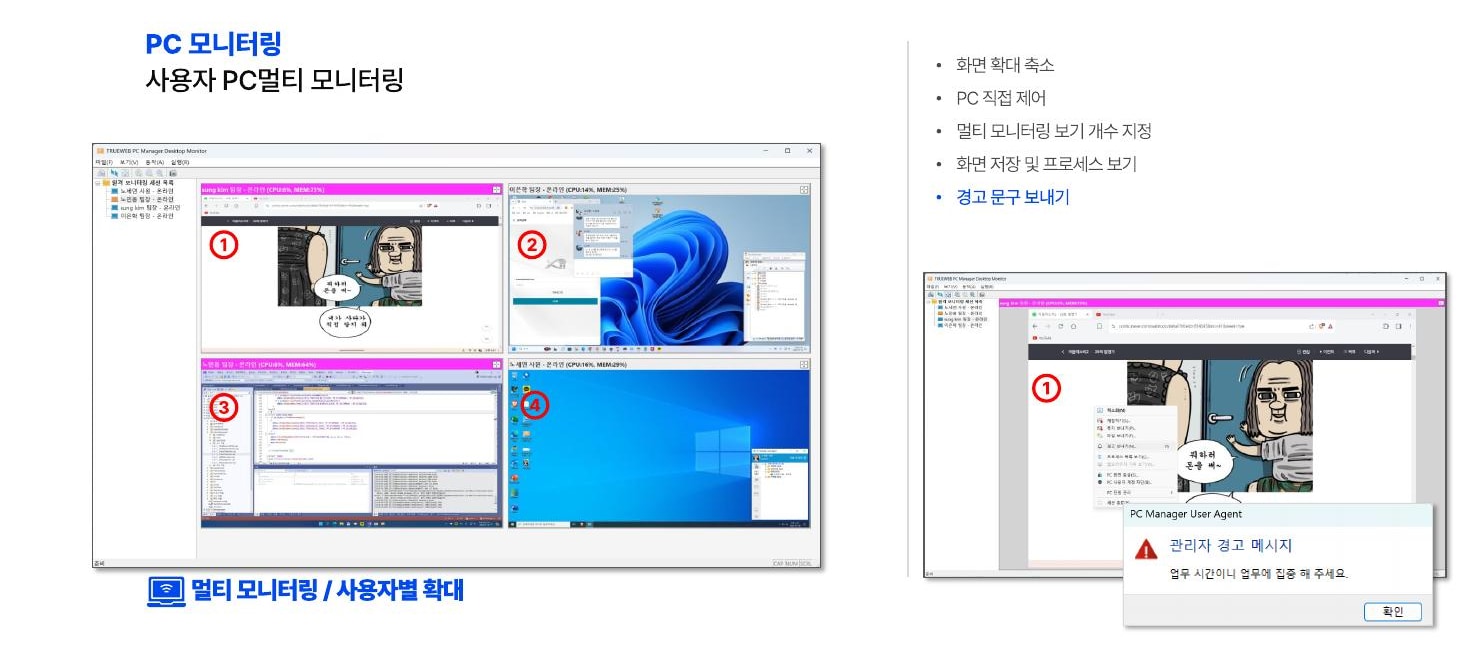
View multiple user screens in real time, enlarge the PC you need to control directly, or inspect its running processes.

  • Set the number of simultaneous monitoring views
  • Zoom in, zoom out and save screens
  • Direct PC control and process inspection
  • Send user warning messages
Multi-monitoring screen for viewing and remotely controlling multiple user PCs simultaneously
LIVE MULTI MONITORING · REMOTE CONTROL

Wherever PCs are used,
we connect across industries.

01

Businesses

Integrate asset, license, security and work management

02

Industrial and production sites

Check on-site PC status and respond remotely

03

Institutions and schools

Shared PC asset management and internal communication

04

Hospitals

Sensitive information protection and medical equipment PC maintenance

05

Security and dispatched work

Manage remote user status and unauthorized programs

06

POS operations

Monitor remote equipment and respond proactively to failures

Cloud Service
or On-premise

Choose a rented cloud service or an independent server configuration to suit your organization.

USER CLIENTWindows 10 & 11User Agent · Admin Agent
ON-PREMISE SERVERLinux · MySQL · JavaCPU i3 or higher · RAM 8GB or more

COREMONIT PC MANAGER

Your organization's PC management—
Start with one consistent standard.

Product adoption inquiries