
Set a contract template and request an electronic signature through an email link
DIGITAL DOCUMENT WORKFLOW
SignBox
Contract and quotation tasks—
complete them quickly and easily.
Register a document and invite the other party to request signatures through email or KakaoTalk links. Connect electronic contracts, quotations, application forms and payments in one flow.
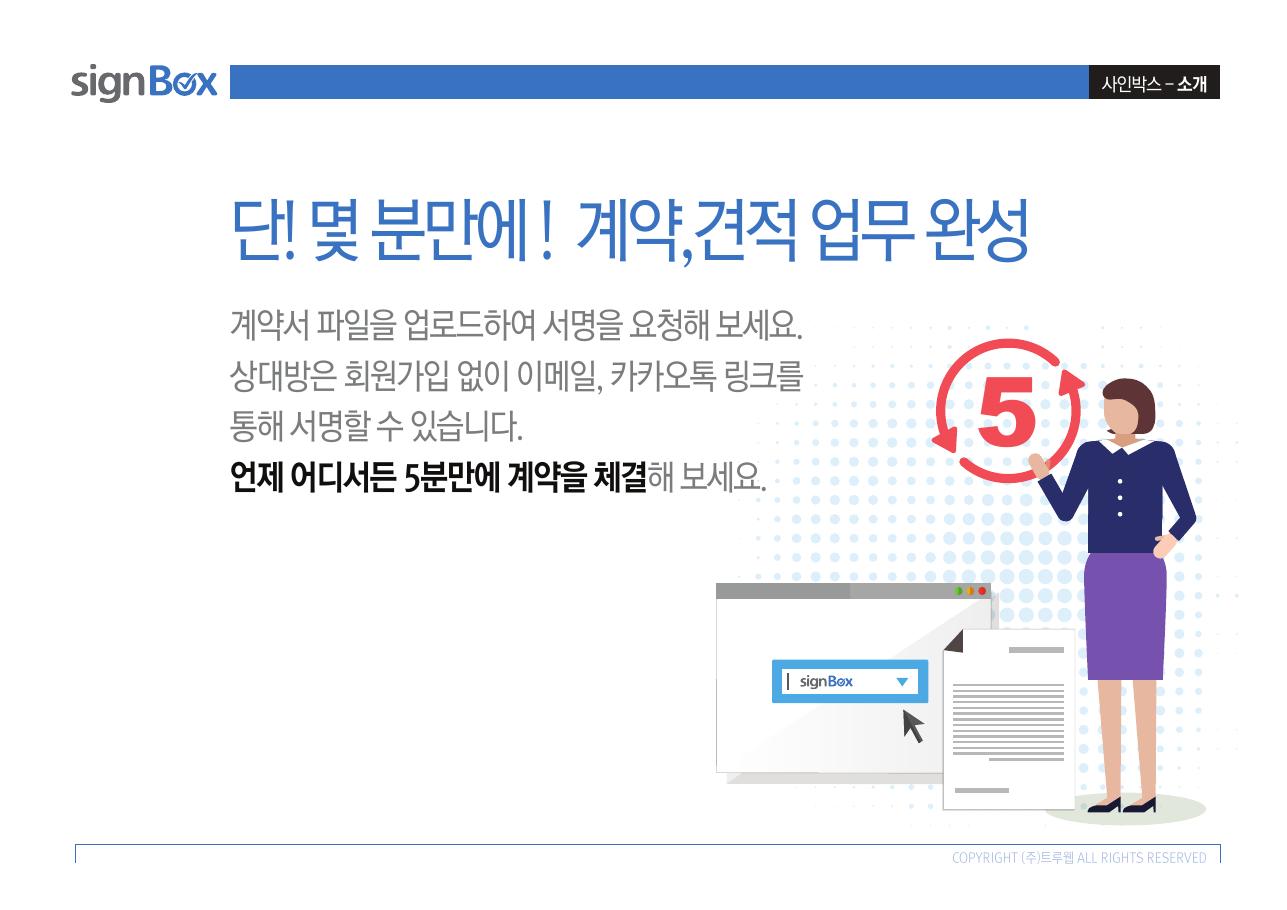
ONE WORKFLOWContract · Estimate
Application · Payment
Application · Payment
01 · WHY SIGNBOX
From document creation to signing, follow one flow.
Reduce repetitive work by connecting the drafting, sending, signing and storage of contracts, quotations and application forms online.
- Electronic contract
- Electronic quotation
- Online application form
- Secure payment integration
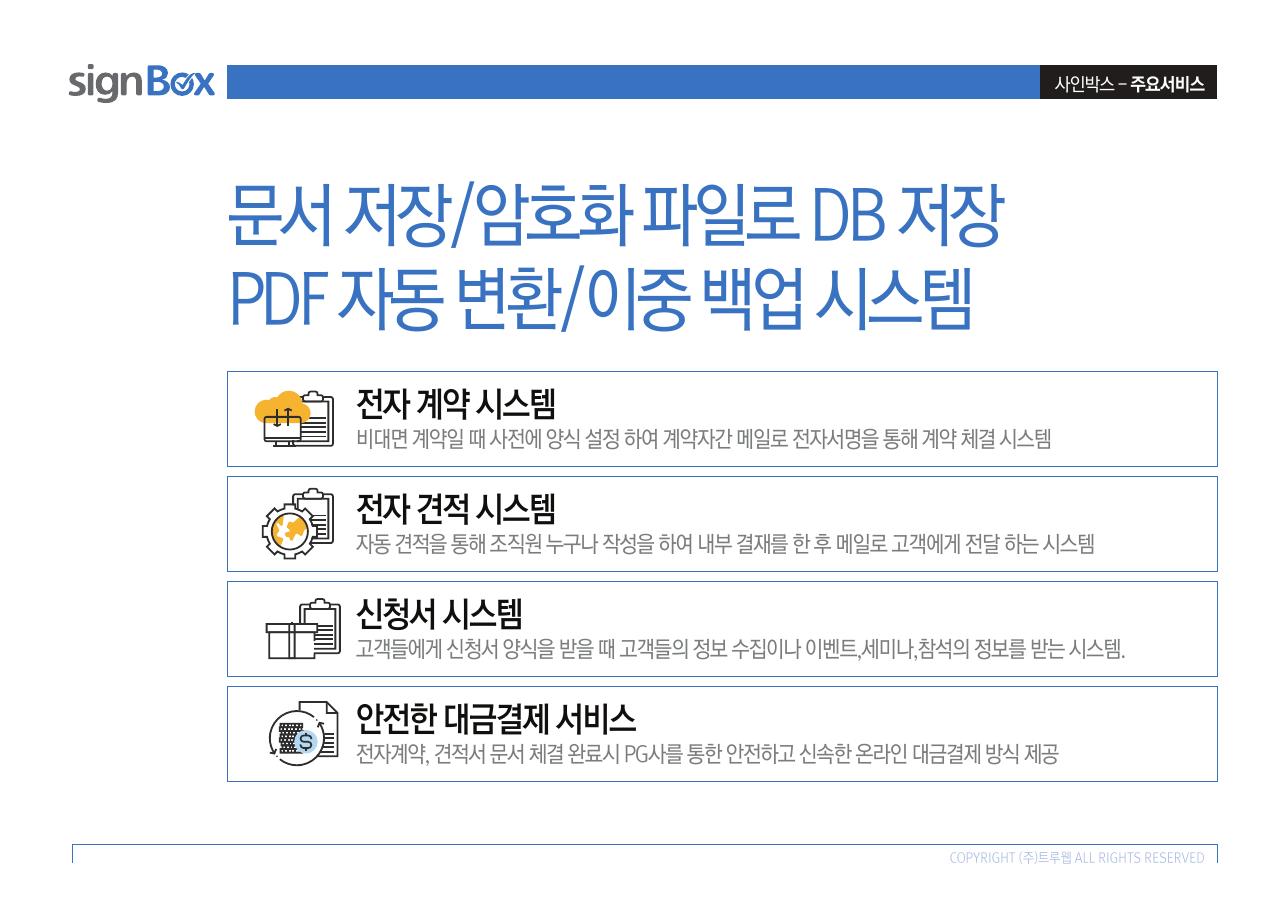
and payments in one place
Manage key document workflows with encrypted storage, PDF conversion and backups.
02 · CORE SERVICES
The documents your work needs,
digitized immediately.
Create documents using defined templates, deliver them to the other party and manage signing and processing history.
Prepare a quotation, obtain internal approval and deliver it to the customer online
Collect customer information and event, seminar and attendance registrations online
Support PG-integrated payment after contract or quotation completion
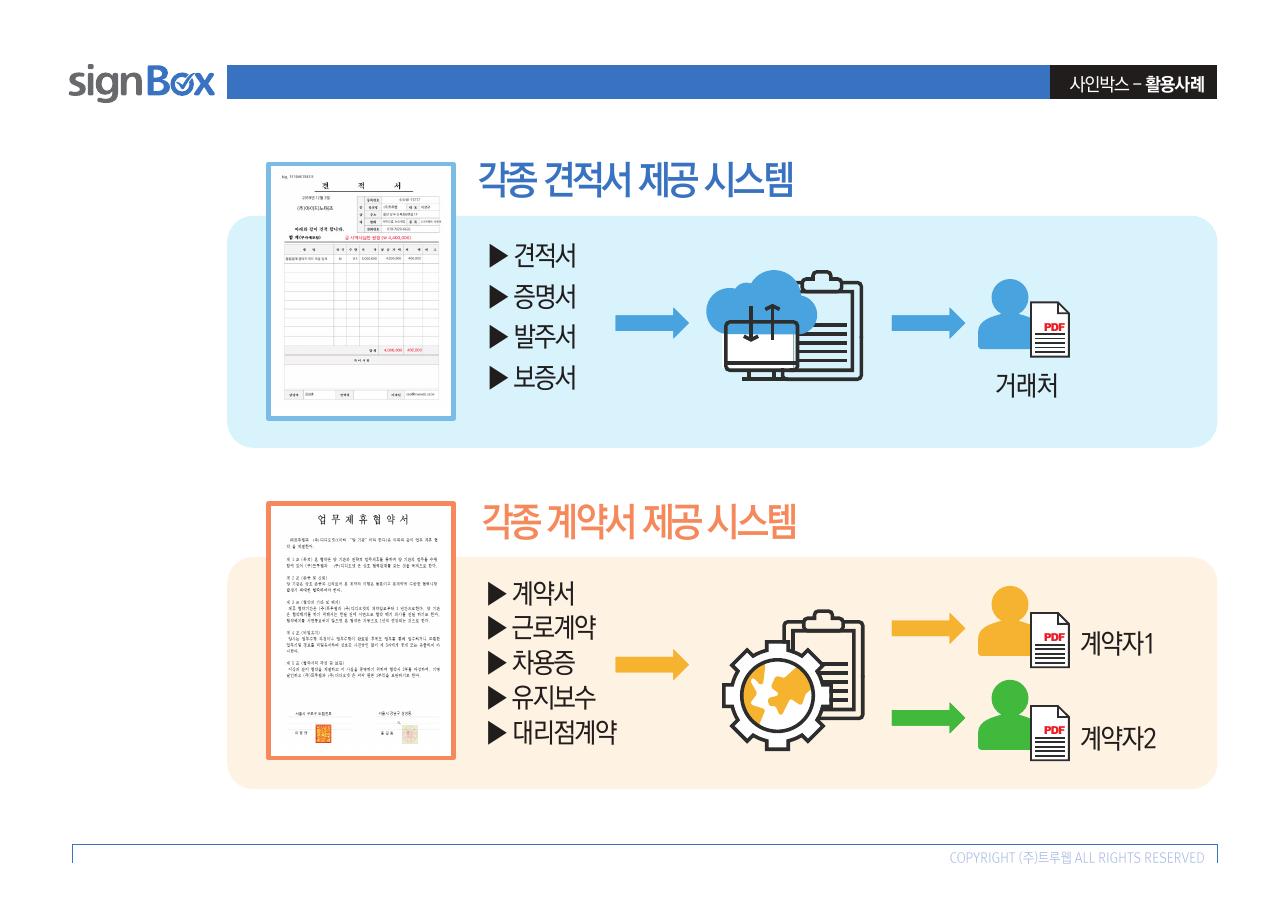
DOCUMENT SYSTEM
Create contracts and quotations
with templates for each task.
Configure documents to fit your workflow, including quotations, orders, purchase orders, delivery notes, contracts, employment agreements and promissory notes.
- Deliver documents to each business partner
- Signatures from each contract party
- Register and reuse document templates
03 · USE CASES
Contracts, quotations and application forms—
used across diverse industries.
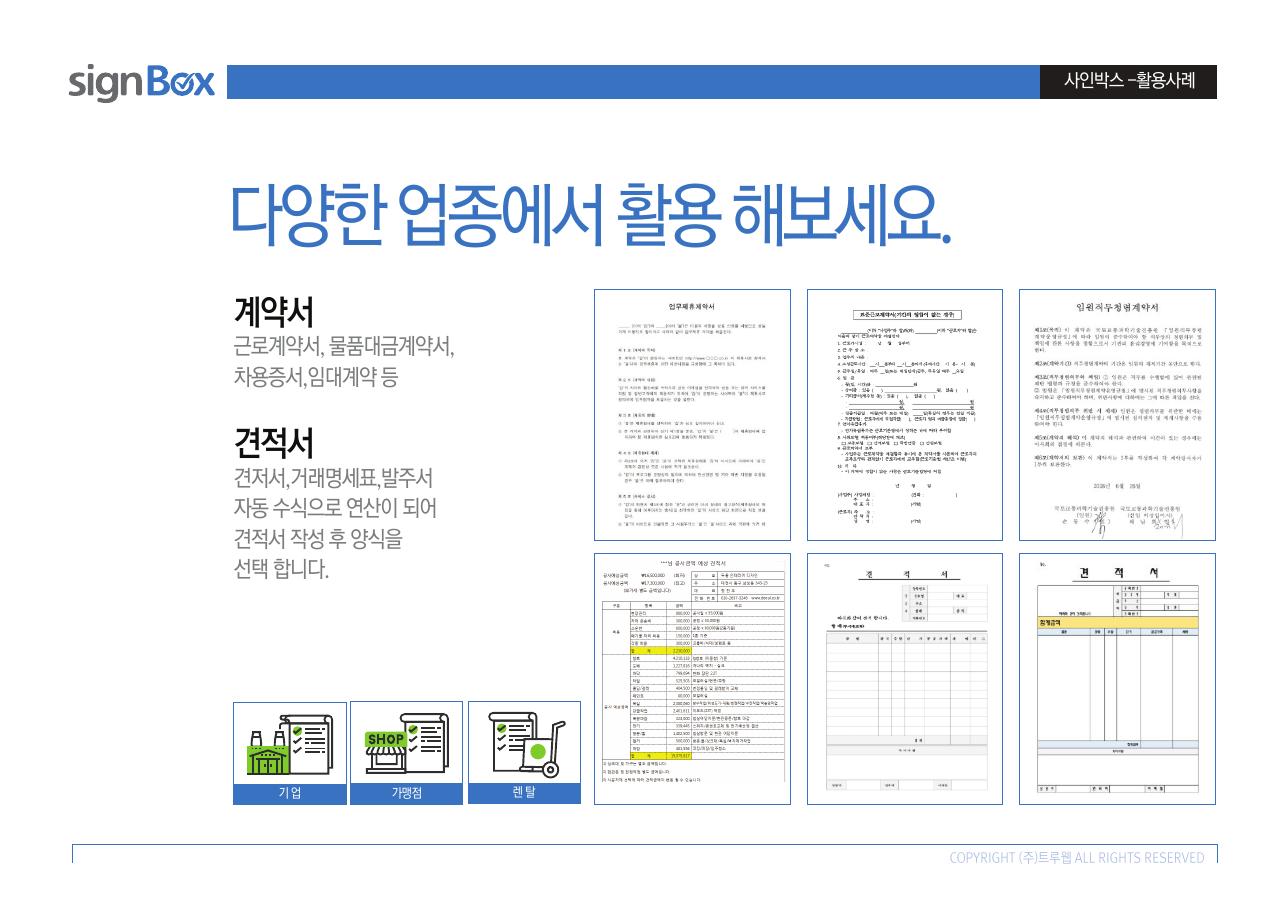
Convert repeatedly drafted documents and information you need from customers into digital forms.
DOCUMENT EXAMPLES
Keep the familiarity of paper documents and
make creation and delivery easier.
Process employment contracts, goods payment agreements, leases, quotations, transaction statements and purchase orders as electronic documents.
04 · SIMPLE PROCESS
Quotations and contracts,
complete them step by step.
Connect the required steps in order, from entering information, choosing a template and internal review to the other party's signature and final delivery.
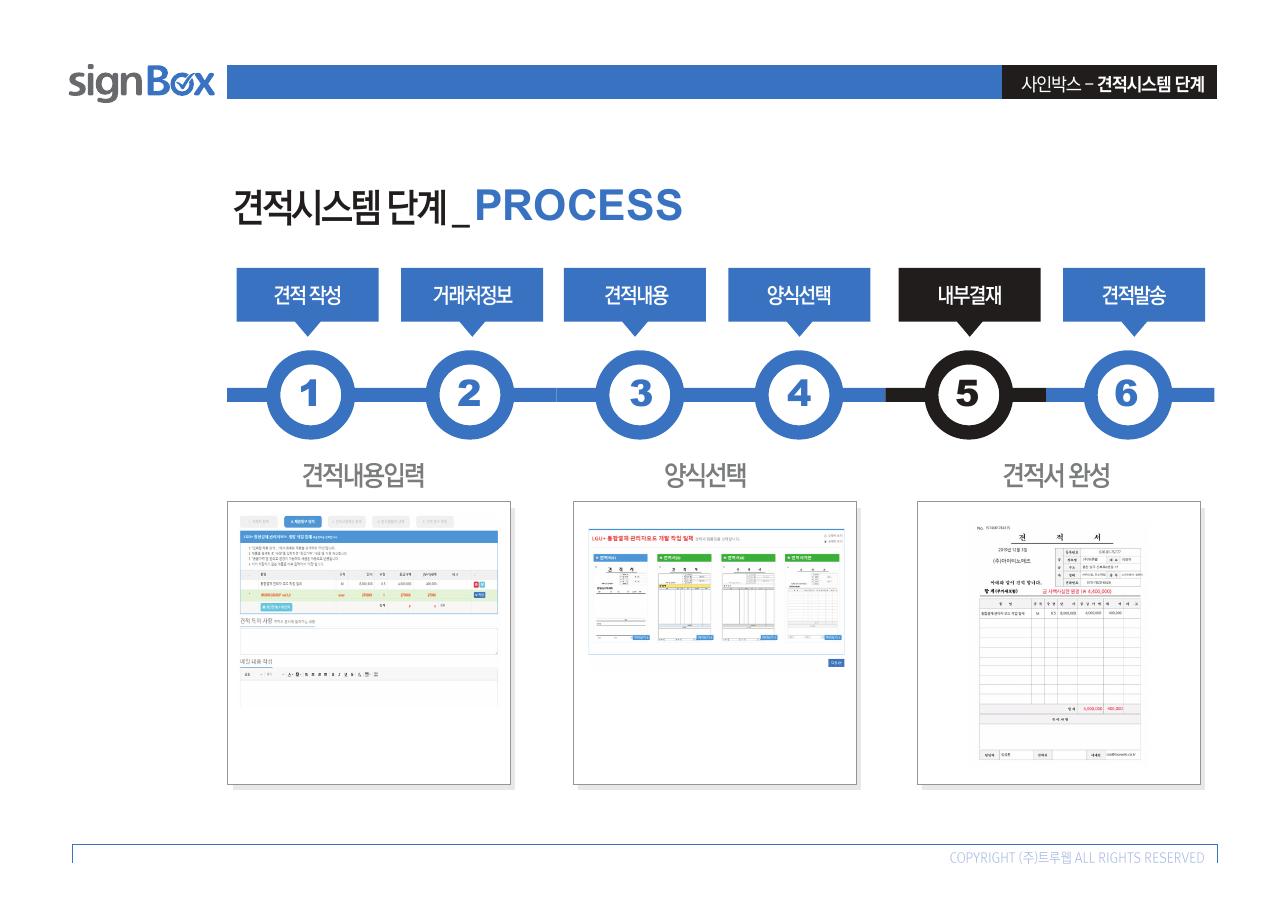
Electronic quotation
Create a quotation, enter the customer and quotation details, select a template, obtain internal approval and send the completed quotation.
- Enter business partner information
- Select a quotation template
- Internal approval
- Send quotation
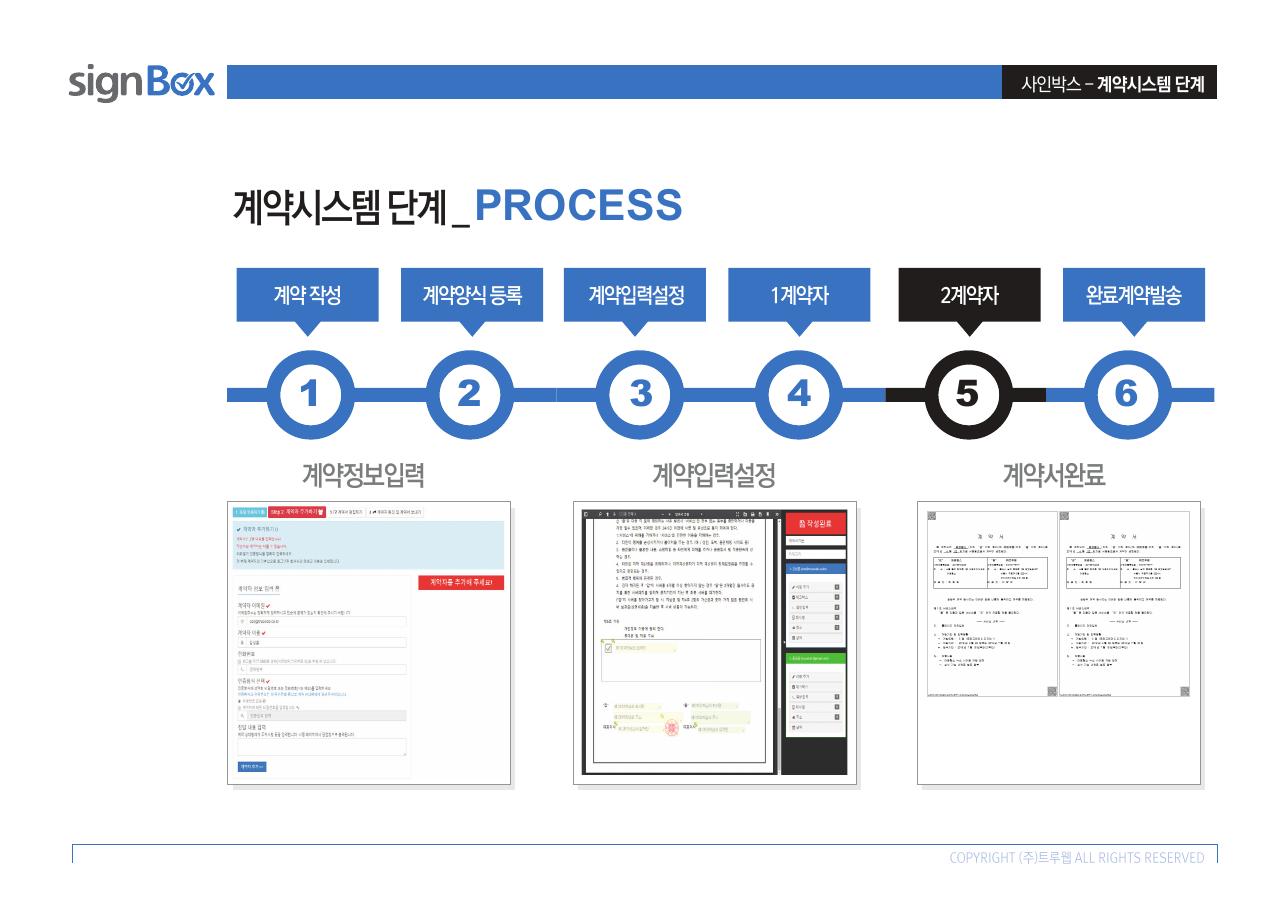
Electronic contract
Set the contract information and template, have the parties sign in sequence and send the completed document.
- Enter contract information
- Register a contract template
- Signatures by each party
- Send completed contract
05 · SERVICE VALUE
Secure documents,
pay for what you need.
Document protection
Store documents as encrypted files in the database
PDF and backups
Automatic PDF conversion and dual backups
Easy sending
Request signatures through email or KakaoTalk links
Payments
Support PG-integrated online payments and automatic payment on specified dates
Point usage
Deduct points when contracts, quotations or application forms are used
Reduce work time
Complete document procedures online without visits or postal mail
06 · DOCUMENT SECURITY
Store · Convert
Sign · Backup
Record electronic signing and document processing history, and manage contract documents through encrypted storage and backups.